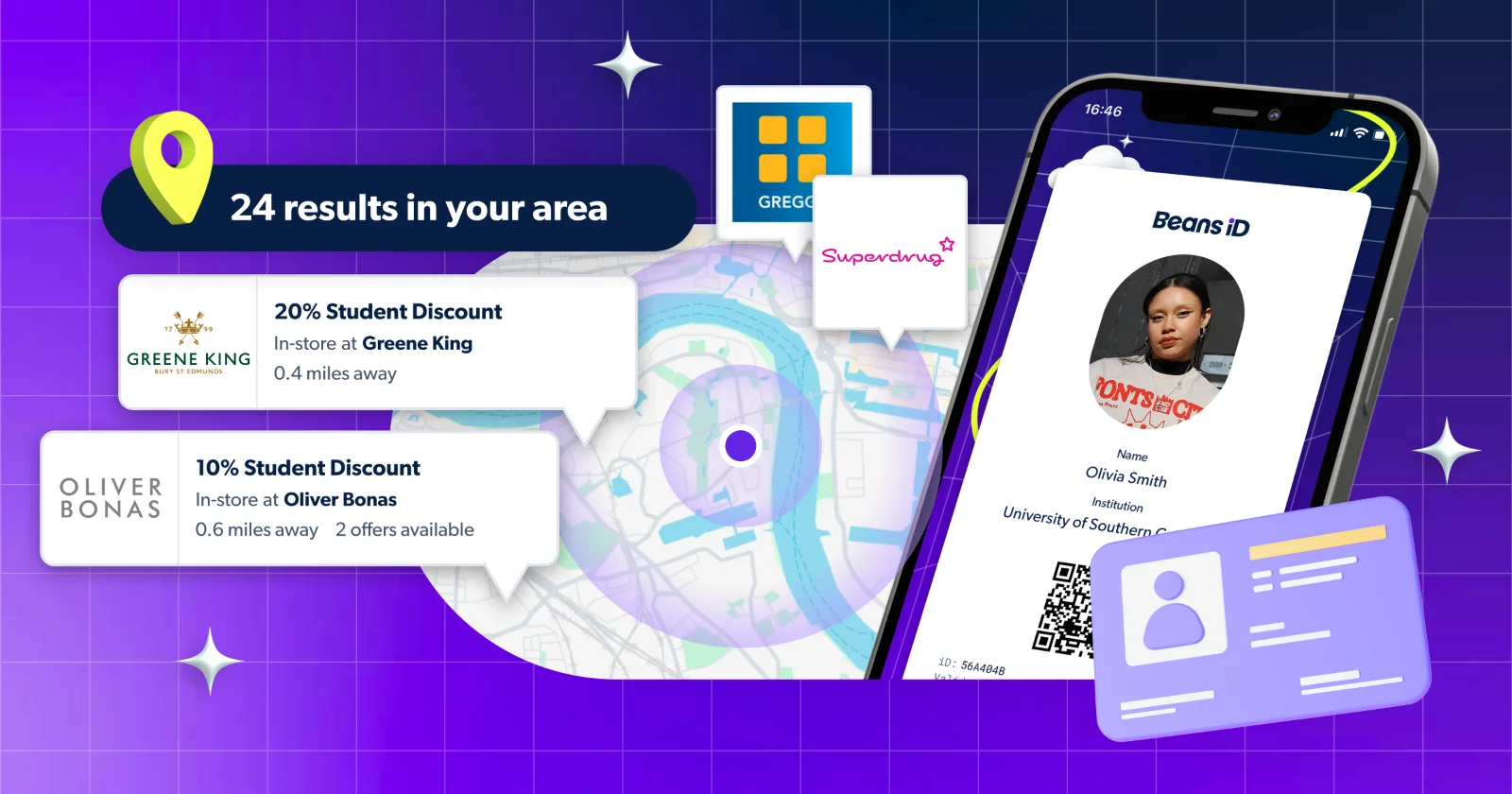
Getting a student discount in-store just got a whole lot smoother. Say hello to the iD Wallet — a new feature on the Student Beans app that makes redeeming in-store discounts quicker, easier, and more personalised than ever before.
If you've ever fumbled at the till trying to find the right discount, this one's for you.
What is the iD Wallet?
The iD Wallet is a new section within the Student Beans app where you can browse, save, and redeem brand-specific discount cards – all in one place.
When redeeming a student discount in-store, it’s important to remember that you need to use the branded card for that specific brand – not your generic Student Beans ID. Using the wrong ID means the discount might not be applied correctly, and you could miss out on the offer entirely.
The iD Wallet makes sure that never happens. Each brand has its own unique card saved directly in your wallet, so when you're at the till, the right card is always right there – no digging around, no confusion, no missing out.
Why should I use it?
The iD Wallet was built with one thing in mind: making your in-store discount experience as fast and seamless as possible. Here's what's in it for you:
More accurate redemptions: Each card is linked to that brand's specific offer, so you're always redeeming the right discount in the right place
Save your favourites: Add the brand cards you use most and remove the ones you don't need, keeping your wallet neat and personal
Faster at the till: Fewer taps, less faff, more savings
Personalised to you: Each card is uniquely designed in that brand's colours, making it easy to spot at a glance
Redeem correctly, every time: Using a branded iD card (rather than your generic Student Beans ID) is really important. Not only does it mean you're far less likely to be denied the discount at the till, but it also helps us track which brands are most popular with students, which means we can keep improving Student Beans and the deals on offer for you
How to use the iD Wallet in-store
It couldn't be simpler. Here's how to use it next time you're shopping:
Open the Student Beans app and tap iD Wallet in the navigation menu
Browse and save your brand cards — click “Add iD” to scroll through the selection of brands with cards and tap to save their card to your wallet. To do this a bit faster, feel free to use the search bar here too.
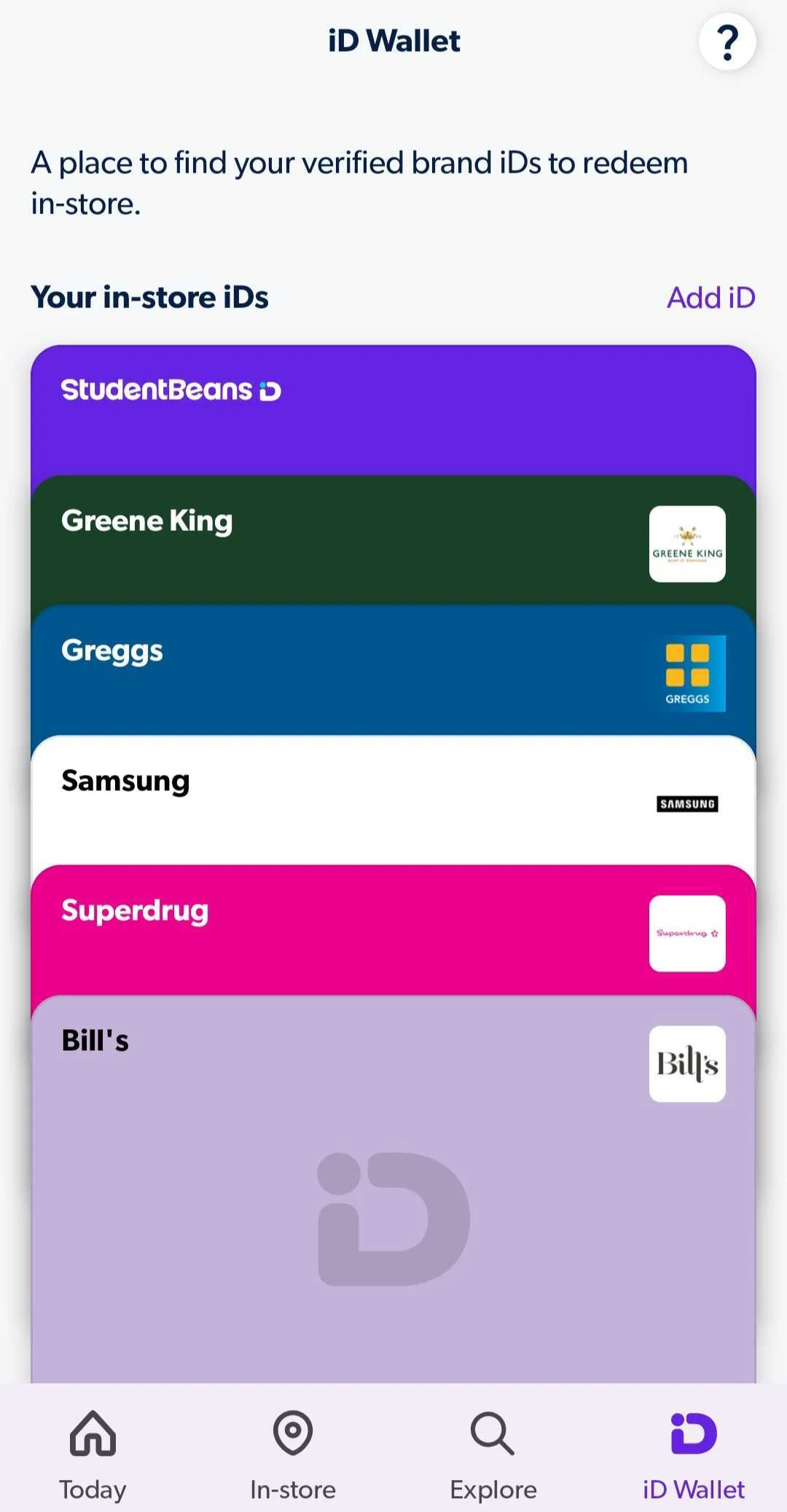
Head in-store — when you're ready to pay, open the relevant brand card in your wallet
Tap to view the offer, tap to redeem — show it at the till and the discount is yours
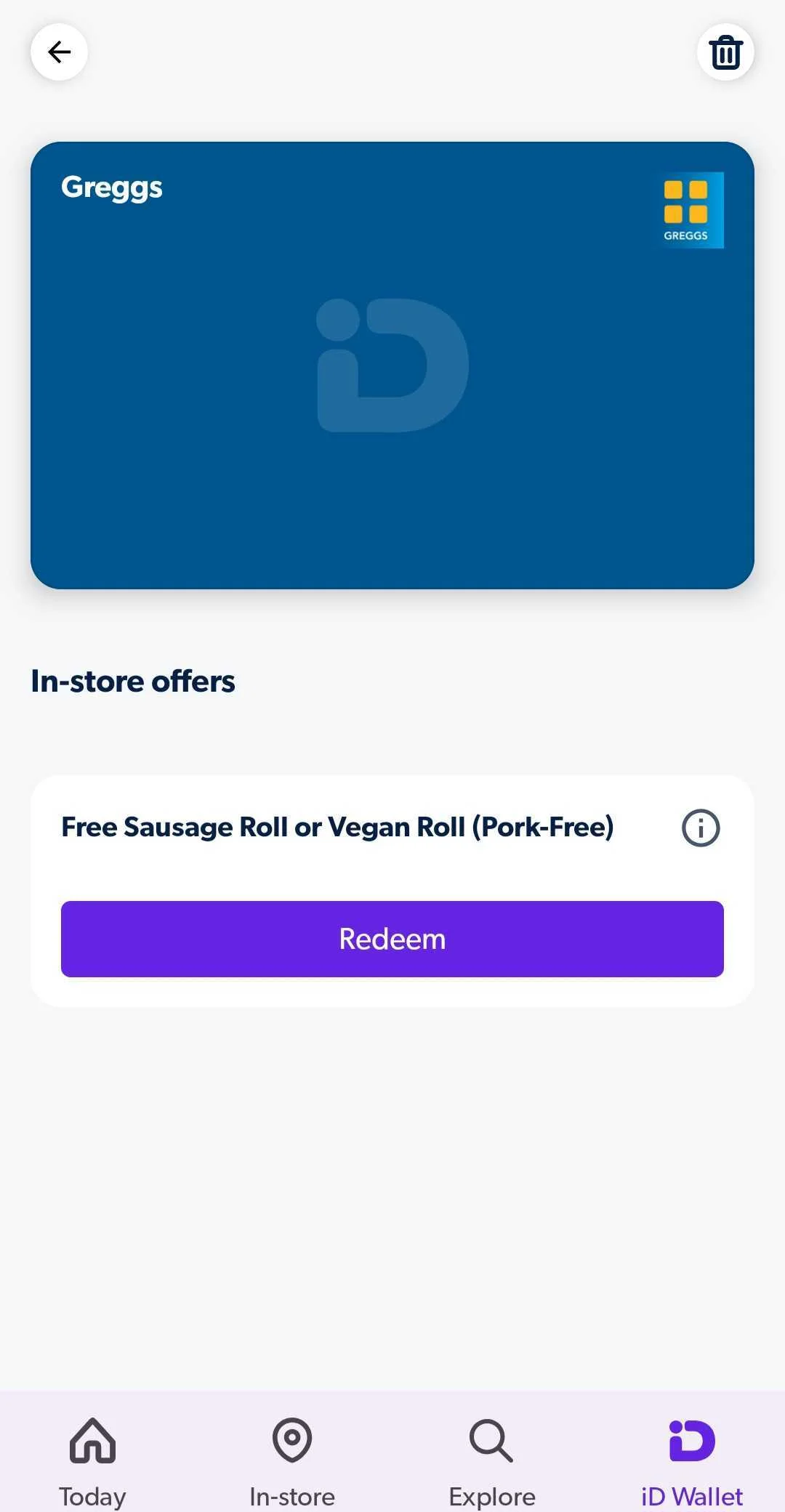

That's it. No searching, no wrong codes, no awkward waits at the checkout.
Ready to get redeeming in-store? Download the Student Beans app to get started.
FAQs
Is the iD Wallet available to all students?
The iD Wallet is currently available on the UK Student Beans app only.
How do I find the iD Wallet?
Just open the Student Beans app and tap the iD Wallet option in the navigation menu. From there, you can browse and save brand cards to your wallet.
Do I need to save every brand card, or just the ones I use?
You can pick and choose — simply add the brand cards that are relevant to you and remove them whenever you like. It's designed to be as flexible as possible.
Why does each brand have its own card?
Each card is tied to that brand's specific in-store offer(s), making sure you're redeeming the right discount at the right place. It also means a faster, smoother experience at the till.
What happened to the old SBiD?
The iD Wallet replaces the previous generic SBiD with branded, partner-specific cards — same idea, just smarter. You'll get the right card for the right brand every time. You can still find your main Digital ID in the wallet too, under “Your in-store IDs”.
What do I do once I'm at the till?
Open the relevant brand card in your iD Wallet, tap to view the in-store offer, and tap “redeem”. Quick and easy!
How do I remove a card from my iD Wallet?
No longer want a card in your wallet? No problem. Simply tap the card in question, hit the bin icon in the top right corner, and follow the steps to remove it. Whenever you want to add it back, just find the brand again in the iD Wallet and save it like you did the first time. Check out our ultimate guide to all things SB for handy app updates.
Download the Student Beans app and find the iD Wallet in your navigation menu today.
Unlock even more with Student Beans
All your favourite brands at your fingertips, from fashion and beauty to food and drink, available to college and uni students aged 16 and over. Dive into our blog to find tips and advice to help you navigate student life, from applying to uni to life after graduation.
- Sign up for a Student Beans account or log in to start saving on the biggest and best brands.
- Download the Student Beans app to unlock exclusive app-only discounts.